

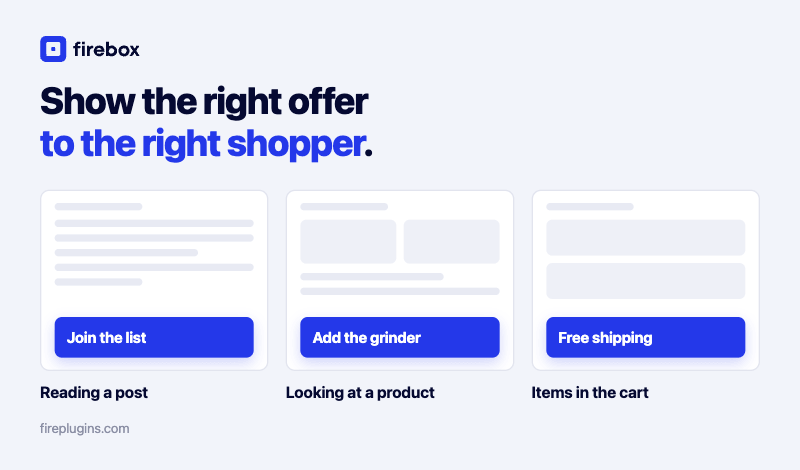

fastest way to reduce WooCommerce cart abandonment is to recover the shoppers who are about to leave, not just to redesign your checkout and hope. Around 70% of online carts are abandoned (Baymard Institute, 2025), so even on a healthy store, most of the buying intent you already paid for walks out the door. The good news: a large share of it is recoverable with the right offer shown at the right moment.
This guide is the hub for cutting that number down. It covers why shoppers abandon (the data), the two approaches that actually move the rate, and the specific on-site plays that recover leaving shoppers, with a step-by-step guide linked for each one. For the bigger revenue picture, this sits inside our guide on how to increase WooCommerce sales.
A quick note on tooling. FireBox is the on-site revenue engine for WooCommerce. The popup is one of eight formats it can show (sticky bar, slide-in, fullscreen, embed, and more); what matters is the targeting and the offer, not the format.
- Why WooCommerce shoppers abandon their carts
- Approach 1: Remove the friction that pushes shoppers out
- Approach 2: Recover the shoppers who still leave
- Recover leaving shoppers with an exit-intent offer
- Add urgency with a countdown deadline
- Win back mobile shoppers, where the leaks are biggest
- Remove the number one reason: surprise shipping costs
- Recover by email, the honest way
- Prove which recovery campaigns actually earn
- Choosing a tool to run these campaigns
- Conclusion
- FAQ
Why WooCommerce shoppers abandon their carts
Shoppers abandon mostly because of cost and friction at the worst possible moment, the checkout. Baymard's aggregated research puts the documented abandonment rate at 70.22% across 50 studies (Baymard Institute, 2025). That is the baseline almost every store is fighting.
Among shoppers who intended to buy and still abandoned, the leading reasons are consistent (Baymard Institute, 2025):
- Extra costs too high (shipping, tax, fees): 39%
- Delivery was too slow: 21%
- The site wanted them to create an account: 19%
- They did not trust the site with their card details: 19%
- The checkout was too long or complicated: 18%
Two patterns stand out. Some abandonment is fixable friction, like surprise costs or a forced account. The rest is hesitation: shoppers who are interested but not yet convinced and leave with items still in the cart. You lower the rate by attacking both.
Approach 1: Remove the friction that pushes shoppers out
The cheapest abandonment to prevent is the kind you cause. Offer guest checkout, keep the form short, show shipping costs early instead of springing them at the end, and put familiar trust signals near the pay button. These are store and theme changes rather than campaigns, so this guide focuses on the second approach, where an on-site tool does the heavy lifting. If you want the broader conversion mindset first, see our guide on converting WooCommerce visitors into customers.
Approach 2: Recover the shoppers who still leave
Even a frictionless checkout loses most of its carts, so the bigger win is recovering shoppers in the moment they hesitate. This is where on-site targeting earns its keep: show a focused offer on the cart and checkout pages, exactly when intent is highest and a shopper moves to leave. For context on how well a well-aimed offer can perform, the average popup converts at 4.82% across more than a billion displays (Wisepops, 2026), and a recovery offer aimed only at people with items in the cart beats a site-wide average comfortably. The plays below are the recovery half of the strategy, each with its own deep-dive guide.
Recover leaving shoppers with an exit-intent offer
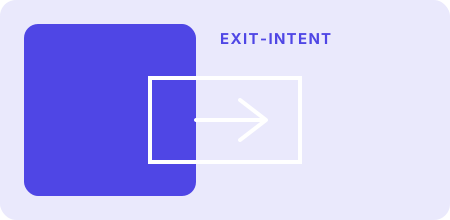
Flat illustration: recover leaving WooCommerce shoppers with an exit-intent offer
An exit-intent trigger shows your offer the moment a shopper moves to close the tab or leave the cart or checkout page, the instant they have shown interest but are having second thoughts. Aim it only at the cart and checkout pages so it reaches committed shoppers, not browsers, and remind them what they are leaving behind with a smart tag like {woo.cart.total}. For the full build, follow our guide on the WooCommerce abandoned cart popup that converts. New to the trigger itself? Start with how to create an exit-intent popup in WordPress.
Stop losing recovered revenue to abandoned carts FireBox catches shoppers with an exit-intent offer right on the cart and checkout pages, so a hesitation becomes a sale instead of a lost visitor.Our take: recovery works best targeted to the cart and checkout pages, not site-wide. A nudge at the moment of hesitation converts far better than a generic discount shown to everyone.
Add urgency with a countdown deadline
A real deadline gives a hesitating shopper a reason to finish now instead of later, when later usually means never. Pair your recovery offer with a countdown that reflects a genuine expiry, like a discount that truly ends, rather than a fake timer that resets on refresh and trains shoppers to ignore it. Our step-by-step guide covers the WooCommerce countdown timer popup for abandoned carts.
Win back mobile shoppers, where the leaks are biggest

Mobile abandons at a higher rate than desktop, so a recovery experience that is awkward on a phone loses the shoppers you can least afford to lose. Formats like the slide-in and sticky bar stay helpful on small screens instead of blocking the page, and a device display condition lets you serve a mobile-specific offer only to phone shoppers. See everything you need to know about mobile exit intent for the mobile-specific approach.
Recover carts on every screen FireBox formats stay readable on mobile and let you target phone shoppers with their own offer, so you recover the carts that desktop-only popups miss.Remove the number one reason: surprise shipping costs
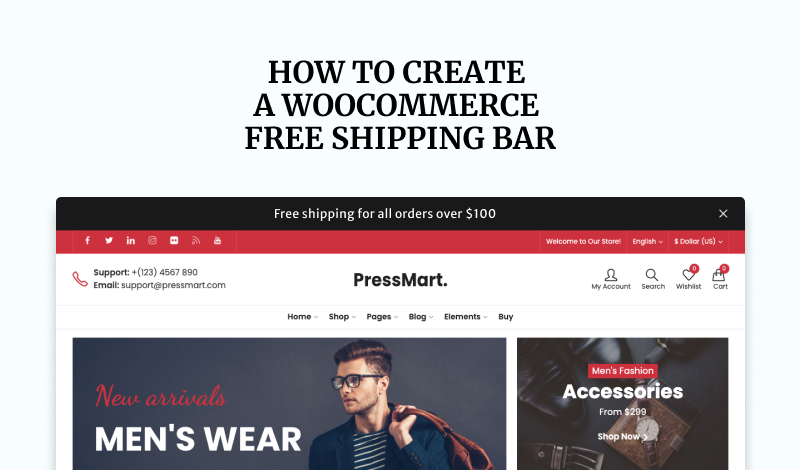
Since unexpected extra costs are the single biggest reason shoppers abandon at 39% (Baymard Institute, 2025), making shipping feel free is one of the most direct fixes you have. It also nudges order value up: 81% of consumers say they will spend more to reach a retailer's free-shipping threshold (FedEx and Morning Consult, 2024). A sticky bar can show live progress toward the threshold using {woo.cart.subtotal}, while you set the actual free-shipping rule in WooCommerce. Our guide walks through the WooCommerce free shipping bar.
Recover by email, the honest way

On-site recovery catches shoppers before they leave; email recovery brings back the ones who already did. Worth stating plainly: FireBox works on-site, it captures the shopper's email through a form and syncs it to your email tool (Klaviyo, Mailchimp, Brevo, and others), and your email platform sends the cart-recovery emails. FireBox is not an autoresponder, so pairing the two is how the loop closes. For the capture side, see our guide on growing your newsletter list in WordPress.
Prove which recovery campaigns actually earn

You cannot improve what you cannot measure, and most stores run recovery offers while guessing at the impact. FireBox closes that loop with WooCommerce revenue attribution, tying completed orders back to the campaign that recovered them, with both view-through and click-through credit (available on the Pro and Growth tiers). Instead of guessing which offer saved the sale, you see the revenue each campaign recovered and double down on the winners. Learn more in our guide to WooCommerce revenue attribution.
See exactly which campaigns recover your sales FireBox attributes real WooCommerce orders back to the recovery campaigns that influenced them, so you know what is working and what to scale.What we've seen: attribution is what turns "reduce cart abandonment" from a hope into a dial you can turn. Once you can see which campaign recovered what, you scale the offers that work and drop the ones that do not.
Choosing a tool to run these campaigns
If you are still weighing options, the right tool is the one that combines the targeting (cart and checkout pages, device, cart value) with proof of what it recovered. Our roundup of the best WooCommerce sales popup plugins compares the choices for store owners and agencies so you can match the tool to these plays.
Conclusion
Reducing WooCommerce cart abandonment comes down to two moves: remove the friction that pushes shoppers out, and recover the ones who still leave. Friction fixes (guest checkout, honest shipping costs, a short form) raise your floor, while on-site recovery (an exit-intent offer on the cart and checkout, urgency, a mobile-aware format) wins back the intent you already paid for. Start with the exit-intent offer for the fastest result, layer in the rest, and use revenue attribution to prove which campaigns actually recovered the sale so you can scale them with confidence.
FAQ
What is a good cart abandonment rate for WooCommerce?
The documented average across studies is 70.22% (Baymard Institute, 2025), so anything meaningfully below that is healthy. Rather than chase a benchmark, track your own rate over time and measure whether each recovery campaign moves it.
Can I reduce cart abandonment without offering a discount?
Yes. Removing friction (guest checkout, a shorter form, shipping costs shown early) and a free-shipping threshold both lower abandonment without cutting margins. An exit-intent reminder of what is in the cart often recovers shoppers on its own, no coupon required.
Does FireBox send abandoned cart emails?
No. FireBox works on-site: it recovers shoppers in the moment with exit-intent and on-page offers, and it captures and syncs emails to your ESP. Your email platform (Klaviyo, Mailchimp, Brevo, and others) sends the actual cart-recovery emails.
What is the fastest way to start reducing abandonment?
Put an exit-intent offer on your cart and checkout pages. Those shoppers are the warmest leads you have, and catching them as they move to leave recovers a share of sales that would otherwise be lost, faster and cheaper than driving new traffic.
Get FireBox for Free
Enter your WordPress website URL to install instantly.
Trusted by 9,000+ users


0 Comments